DCC Software
Summary: While a computer is not necessary for implementing or using Digital Command Control, there are a number of software packages available which will increase your enjoyment by automating tasks or simplifying decoder programming. With the increasing complexity of multi-function decoders equipped with sound, a tool such as the computer enhances the process by taking the drudgery out of programming multiple CVs while reducing the possibility of mistakes. Other applications include automation, dispatching, control of turnouts, or enhancing operation sessions by planning and scheduling train movements
| Main Topics |
|
| Misc Items |
|

It should be noted that connecting a computer to a Digital Command Control layout is not required for setup or the operation of your layout, but they can be helpful for the same reasons they are in other areas of everyday life. Since DCC is digital by nature, it's easy to have computers control or monitor your layout.
If you are just starting with DCC Software, we suggest the Connecting your computer to DCC article to provide background on the use of computers with Digital Command Control.
General Information
There are freely available applications and tools as well as commercial applications. Regardless, you still need to connect your computer to your DCC layout before you can use any of these tools.
Generally, a computer connects to the layout via a device called a computer interface using the throttle network which is a part of the DCC system. For example, if using a Digitrax system, connect to the LocoNet through a PR3, PR4 or a Locobuffer. Some systems connect directly to the computer via a serial port built into the command station (EasyDCC, NCE, Hornby Elite). Other systems dispense with the command station altogether and the computer connects directly to a special booster (SPROG, Hornby eLink).
Types of DCC Software
Various types of DCC software are available. Specialized software is used to program decoders, which can be either multifunction or accessory decoders. Other software allows for train control and acts like a cab (throttle).
There are software packages which combine multiple aspects, such as dispatching, scheduling and creating manifest lists for the operators in addition to providing direct control of routes and signals. Please see the Software page for other software relating to trains at a more general level.
Decoder Setup
Modern multifunction DCC decoders have many options. To get the most of them, one must put specific values into a large number of configuration variables (CVs). This is called programming, and most DCC systems provide a means to do it. Typically, this involves writing a value into a CV that is referenced by its location; hardly a user-friendly interface! A computer can simplify this by keeping track of parameters, while displaying options and results in human-readable terms instead of bits.
Operations
Through the use of a computer interface, one can control their layout using a smart phone, a desktop/laptop computer, or automate the layout so one can relax and entertain guests without trains crashing into each other.
Free Software

Java Model Railroad Interface (JMRI)
The JMRI® software is a suite of programs and is a single download. Don't worry about trying to get each part separately - they're all bundled together. Also, you do not need to use each part of the suite to get a specific task done - that is you don't need to setup the automation part if all you want is to quickly program your decoders.
JMRI - DecoderPro

DecoderPro®
If you need a quick, simple to use, cross-platform software for programming decoders (multifunction and accessory), then this is the choice. Many people that have expensive track control software use JMRI for its ability to quickly and simply program a wide range of decoders. The JMRI suite of programs runs on Mac Classic and OS X, Linux, and Windows machines, all under Java. All major manufacturers of DCC equipment (Supported Hardware webpage), systems and decoders, are supported. A very active JMRI users' group] is available for user support on Groups.IO.
- DecoderPro can configure multifunction decoders and keep a roster of the DCC equipped locomotive fleet. Programming sophisticated sound decoders is quick and easy.
- Use PanelPro to run locomotives, throw turnouts, control signals, and even create control panels. But do not expect it to be as powerful as a commercial layout management program; JMRI isn't meant to compete directly with them.
- Use the LocoTools application with your Digitrax command station to control your layout, monitor communications, configure add-on devices, etc.
- Employ the JMRI interfaces to write programs for the layout. Making this easy is an important goal. This can be done via the scripting language, or by adding new Java code to the program.
- Write new general-purpose tools. Although this is a little harder than writing automation for your own layout, writing tools that other people use can be very satisfying.
- Implement the JMRI interfaces for a new system. Having JMRI work with other systems is an important goal. Once an implementation for another system works, the general tools (e.g., symbolic programmer, automations tools, signaling, etc.) can be immediately used.

JMRI - Layout Automation
JMRI Layout Automation applications provide a large number of ways of automating a layout, ranging from simple fill-in forms to full-fledged scripting and programming capabilities. These include:
- Routes
- A simple form of automation is to define Routes, which allow one to simplify the control of your turnouts.
- Signal logic
- JMRI provides built-in signaling logic which can be used to drive signal heads in many applications.
- Scripting
- JMRI provides a very powerful scripting tool. Based on a real programming language, it gives access to all the JMRI capabilities.
- Writing custom code in Java
- The JMRI libraries greatly simplify writing a program to make the layout do exactly what is wanted.
JMRI - PanelPro

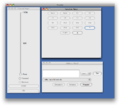
Throttle available via PanelPro.
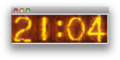
Fast clock from PanelPro


PanelPro is an application for operating screen-based CTC control panels that reflects the real-time state of the railroad and lets one control it - almost like a Prototype dispatcher.
PanelPro contains a host of tools for managing and running a railroad. Fast clocks, throttles, LocoNet management, turnout control, consisting, and even the ability to control layout power is available.
One can create simple or complex panels that graphically illustrate the layout, which look just like a CTC system panel.
JMRI Operations
The JMRI suite includes an Operations function. This requires the input of the motive power, rolling stock and "locations". Once all that is done, one can create trains starting and finishing at various locations on your layout, and JMRI will then create the manifest and switch lists. The software can assign motive power, or the dispatcher can decide what power goes on what trains.
JMRI's operations software is not meant to replace commercial packages. But for simple operations, it can be useful.
The operations segment includes a tutorial to make it easier to learn how to implement operations on your layout. For more information see the JMRI Operations webpage.
JMRI®, DecoderPro®, PanelPro™, SignalPro™, TrainPro™, DispatcherPro™, OperationsPro™ are trademarks of the JMRI Community.
WiThrottle
- Main article: WiFi Throttle
WiThrottle is an application available for the Apple iPhone and iPod. It creates a simple touch screen based wireless throttle. JMRI supports the WiThrottle. You require a wireless network to use this app. There are also similar apps for other systems.
See WiThrottle Lite and Full version. For more information go to the WiThrottle website.
See also suggestions for Tsunami setup for WiThrottle
Railroad Automation

Railroad Automation is a Windows command and control application strictly for the LocoNet network. It has many advanced features such as: slot inspector, packet traffic inspector, LocoIO programmer, DCC decoder programmer, multiple throttle control, editable vector-based switchboard display, supports tracks, turnouts, blocks, routes, sensors, signals, accessories, event binding and scripting, sequence recording, speech recognition control, remote control over TCP, and more. The application is also compartmentalised into several API layers which makes it easy for third party developers to build derivate works on its foundation.
Rocrail
C/C++ Control Viewing Program for a Digital Model Railroad in Manual and Automatic Mode. Supported Multiple Controllers Marklin 6050 IntelliBox P50x SRCP DDL DDW erddcd HSI88 Dinamo OM32 Lenz Selectrix EDiTS Pro RCI Zimo LocoNet srcpd. Linux and Windows.
A-Track

A-Track runs on any Windows desktop or notebook to complement and expand the capabilities of your NCE Power Cab, Smart Booster, DCC Twin, or Power Pro DCC system. A-Track provides full facilities for the programming of all types of locomotive and stationary (turnout) DCC decoders, to save all details on a personal computer, and to help you run your locomotives.

- Works with all types of NCE system – connects automatically to any interfaced system
- Runs under any version of Windows from Windows XP to Windows 10 on any PC
- No need to be a computer expert
- Fully documented with an interactive Tutorial and the relevant Help page available at any time at the press of a key

Main Features -
- Helps you organise your roster of DCC-equipped locomotives on your railroad
- Program and back-up all of your locomotive and accessory (turnout) decoders - safeguarding all the hours of effort put in by you (or your Club’s DCC expert) in programming and configuration
- Look at the decoder set-ups for several locomotives at the same time, see the differences between them, then tune their speed (and function) characteristics to run together in a consist
- Copy decoder parameters from one locomotive to another – very useful when you purchase a new locomotive similar to one already in your roster, saving a lot of programming time and effort – just make sure you use A-Track first to make a back-up copy of the original settings in the new locomotive (!), then give the new locomotive an appropriate description and its own DCC address, plus any minor enhancements that you might want to make
- Backup and restore all of the setup and operational parameters held in the command station

- Control all of your layout turnouts via a click on on-screen mimic diagrams
- Finds the best route (if available), involving fewest turnouts, between specified start, mid and end points, and lets you set that route with a single mouse-click
- Continuous real-time monitoring of locomotive allocation, speed, direction and main functions, and of turnout positions and block occupancy on the layout using NCE Auxiliary Input Units (AIUs) connected via the Cab Bus, with status shown live on mimic diagrams
- Lets you run and instantly switch between multiple NCE Command Stations connected at the same time to your PC (such as a Power Pro driving the mainline and a Power Cab controlling your program track) – concurrent connections to as many as four NCE systems are supported
A wide range of Decoder Manufacturers is supported, including Digitrax, NCE, Lenz, SoundTraxx, QSI (Quantum), ESU (LokSound), Train Control Systems (TCS), Broadway Limited (Paragon 2), MTH (Proto-Sound 3), Model Rectifier (MRC), Bachmann, Hornby, and ZTC.
A-Track incorporates a complete Macro facility with which you can create, edit, review, and run macros. With your Power Cab system, A-Track gives you the capability to expand the Power Cab's rather limited Macro facilities to equal those of Power Pro systems, allowing up to 256 macros.
PR1DOS
PR1DOS is a DOS-based program that will allow you to program a Digitrax® Decoder using a Digitrax® PR-1.
(This software seems to have disappeared. It seems to have reached version 2.2 back in 1999.)
PR1WIN
This software appears to be dead now. Digitrax PR1 Help Page
- PR-1 for Windows allows for the PC based configuration of DCC compatible mobile and stationary decoders. The PR-1 software is free of charge but requires the Digitrax PR-1 programmer.
- The PR-1 is no longer being manufactured by Digitrax and will be replaced by a new product. Until this product will be available, all development works for a 32bit version of PR-1 is suspended.
Commercial Software

Big Bear Rail Controller
The Big Bear Rail Controller is an easy-to-use PC based controller application aimed at the British modeller supporting multiple throttles and track diagram. Cost is based on the number of controlled locos or trains and prices start at £19.95 for a 7-loco system with incremental upgrade options for those that wish to start small and grow later. A free version is available for those that wish to use Big Bear with no more than two locomotives or wish only to use the track diagram.
Hornby RailMaster
RailMaster, from Hornby. It has a database of more 1,500 locos going back to the 1970s, allows full control of locos, signals, points, turntables and operating accessories from a computer.
Optimized for touch screen operation using MS Windows. There is a simple programming language built in that allows the building of automated layouts. Build programlets and merge them into large programs for more sophistication.
Read and write CVs in plain English. Plans include a loco detection system, with the ability to recognize which train has passed a point, direction, scale speed and even whether it was accelerating or decelerating. Other planned add-ons include hand-held controllers for more platforms, including Palm, CE, Windows Mobile, Android and Apple's iPod, iPhone and iPad.
CTI Electronics TBrain
CTI Electronics This software will control DCC trains and accessories such as turnouts, from a screen-based CTC panel and on-screen throttles. Although DCC trains can be controlled "out of the box", most other functions require some programming via the bult-in TCL programming language (TCL = Train Control Language). TCL is similar to BASIC and easy to learn, aided by step-by-step lessons in the supplied manual and on-line "help". CTI does not currently support monitoring of DCC-based input devices such as occupancy detectors, but separate hardware modules are available for sensor inputs, and also for controlling turnouts or signals. Thus, it is possible to create a hybrid system with DCC control of trains and CTI hardware for track occupancy and turnout position sensors, with either DCC or CTI hardware for turnout and signal controls. Here is an example of a layout with CTI-controlled signals and turnouts.
They refer to some of their products as Train Brains, used to create a Central Traffic Control system (CTC) similar to the prototype CTC, without the complexity seen of layouts implementing CTC in the past.
CTI also makes a device called ACELA, for those wishing to write their own model railroad control software. The Acela Network Bridge hardware module is about the size of a credit card. The Acela manages a real-time control and sensing network. You create things like control panel GUI's and signaling logic using software such as JMRI. The Acela module handles the rest.
They also offer RFID hardware that can be used to track trains or rolling stock as part of a detection system.
Railroad & Co
Sometimes refered to as RR&Co. This is a very advanced system that can track positions of trains using virtual detection blocks. Of course, you'll need a few real detection blocks to make this work, but it's very effective.
Train Tools Software
Train Tools Software has been producing professional model railroad software since 1991. DCC software for the model railroad industry. All software is scale independent, internet enabled and supports all popular command stations.
WinLok
Digitoys Systems produced software called "WinLok" for running and configuring DCC systems. The last version is v2.1 with no future versions planned. Since this is legacy 16 bit software, it will not run on any modern Microsoft OS (i.e. Vista, 7, etc.). Digitoys Systems has since ceased doing business. It is equivalent to JMRI's PanelPro
While a version was released for free, that was ten years ago and WinLok is no longer available on the internet. There was a review published in the December 1995 issue of Model Railroader. WinLok version 1.5 had a suggested list price of US$189.95.
GbbKolejka
GbbKolejka English GbbKolejka in Polish New software for Lenz/Roco and DDW systems.
Model Rectifier Corp.
MRC offers a proprietary computer interface for their Prodigy DCC products, along with software. The software is for Microsoft Windows only,
ZUG DCC For Lenz XpressNet
ZugDCC, is a easy to use DCC Control program to operate Lenz XpressNet DCC systems through the Lenz LI100, LI101F and LI-USB computer interface.
- ZugDCC is Shareware. You can download a limited version of the software to try it, and upon registering it, other features will be unlocked and available.
Some of the features:
- XpressNet only.
- Supports the fast 19200 baud connection of the Lenz LI100F and LI101F.
- Support for LR101 feedback modules with map display and text read-outs for block detection.
- Supports the LI-USB.
- Easy Add-to and Remove-from MU consists.
- Support for CV1 through CV256.
- All programming modes are supported, including Program on Main (PoM)
- Easy 2- and 4-digit address programming.
- Accessory control.
- Clickable Turnout Map.
- Turnout / accessory decoder routing.
- Scale & Metric calculator.
See the Kent Software website for more information and registration fee.
iTrain
Developed by Berros.
ITrain supports multiple Operating Systems.
From their website:
- iTrain offers an easy-to-use solution to control your model railroad with your computer(s), especially if you want to automate only parts of your layout and keep control of the rest yourself. For example, automatic block control avoids collisions and you control which train is driving manually or fully automatically according to a selected route.
Supported DCC command stations include. Refer to their website for exact details.
- Märklin
- ECoS ESU
- TAMS
- MRdirect 8
- Raptor via P50Xr interface
- TwinCenter
- Intellibox
- LocoNet®
- Digikeijs DR5000
- Lenz XpressNet
- Roco
- MoBaSbS
- ZF5
- Selectrix
- Rautenhaus SLX & RMX
- Müt MC-2004
- FCC (Doehler & Haass / MTTT)
- Stärz ZS1 & ZS2
- Zimo MX1 & MX10
- Massoth DiMAX
- OpenDCC Z1
- BiDiB (among others Fichtelbahn)
- Dinamo
- DiCoStation Digital-S-Inside 2 (DSI-Service only on Windows)
- CAN-CC-Schnitte
- SPROG (not for programming)
iTrain also supports a number of devices:
- LoDi-System: S88-Commander, Rektor, Booster and Shift-Commander
- µCON-System: s88-Master, Manager, Booster and RailSpeed
- GCA-101 (LocoNet®*) via TCP and UDP Multicast
- HSI-88 (HSI-88 USB only on Windows)
- CAN-PC-Schnitte
- TAMS RailCom link
- Blücher GBMX16XN via USB.
- OM32 & OC32
- DinaSys Turntable Control (DTC)
- Games on Track® GT-position (as a feedback interface with loc addresses)
DCC Manufacturer Specific Software
Digitrax
Digitrax software is only compatible with computers running MS Windows.
DigiIPL / DigiIPLII
Digitrax offered their DigiIPL (Initial Program Loader) which allowed the update of the firmware in certain Digitrax products. It is not integrated into the SoundLoader package.
Firmware Updates
It is possible to use the IPL software to update the firmware:
- Command Stations
- DCS210
- DCS210+
- DCS240
- DCS52 (Zephyr Express)
- Boosters
- DB220
- DB210
- Throttles
- DT602 Advanced Super Throttle
Sound Loader
SoundLoader allows substitution of sound files, editing existing ones, or creating custom sound files with Digitrax SoundFX decoders.
It works with the PR3 and PR4 Programmers. The DigiIPL is integrated into this package.
Lenz
https://www.lenz-elektronik.de/digitalplus-cv-editor.php
Universal CV Editor
- For all decoders that comply with the DCC standard, manufacturer independent!
- Optional: Programming on a programming track
- Service Mode Programming or Operations Mode Programming
- Graphical representation of speed curve
- Tool Tips for CVs
- Easy configuration of individual bits
- Can be used with all Digital Plus interfaces, the programmer and the LZV200 command station
- Decoder templates for all Lenz digital plus decoders as well as Lenz 0 locomotives
- Integrated editor makes design of individual templates easy
- Manual programming for decoders if no template is available
- Control for direct testing of settings
- Save decoder configurations: Create your own decoder database! Easily restore proven decoder configurations at any time
- Firmware update of Digital plus decoders (from version 7.0) when used with the programmer
- Firmware update for throttles LH01 and LH101
- Can be used with Digital plus version 3.6 or higher
- Windows XP, Windows 7, Windows 8, Windows 10
Controller
- Control trains with your computer
- Display of consists
- Switching, all functions
- Display of function status, direction of travel and speed
- Easily test the decoder settings programmed with the CV Editor
TCS
TCS has released their DEPOT (Desktop Engineering Programming and Operations Tool) software suite. Current version is TCS DEPOT v0.1.11, released 01/01/2020.
Currently it only runs on operating systems Windows 7 or better. Versions for the MacOS and Linux are in development.
External Links
Model Railway Software - Links to various software sources, from operations and switch list generators to DCC related software, as well as converters and calculators.